Connection and guardian alerts
Pairing, battery, groups, routing and basic incident reports
 SMART TAGBELL한국어Let’s connect
SMART SAFETY CONNECTION
Press TagBell to send a BLE signal to your connected smartphone. The app then sends a help request to your preselected contacts over the network.
Your phone must be within BLE range, with the app and internet connection available. Contacts receive alerts over the network.
Download reports · Korean / English PDFExplore the app · seven interactive screens ↓New scenarios · School check-ins & bullying alerts ↓App pushFCM · APNs
MessengerBackup alert
EscalationPreselected contacts
SMART TAGBELL · APP EXPERIENCE
Check connections, route alerts and follow the response. Select a screen below to explore the proposed app.
External button → your phone → contacts
TECHNICAL DESIGN
Button registration, user association and connection/battery monitoring. Keyring, pendant and helmet-mounted form factors.
Receive button events, manage consent and permissions, location, recording, cancellation and confirmation. Validate background operation per OS.
Groups, sequential/simultaneous routing, unanswered policies, deduplication and response state. Distinguish dispatch from acknowledgment.
Role-based access, responder assignment, timelines, reports and fleet operations, with organization-specific policies and retention.
Wearable fall/inactivity detection / indoor BLE positioning / consent-based continuous location / AI-assisted false-alarm review / charging docks and maintenance
Pairing, battery, groups, routing and basic incident reports
Safe zones, location history, wearable confirmation and AI validation
School, care and workplace dashboards, access roles, analytics and maintenance
The sequence is proposed. Timing, device support, detection performance and indoor accuracy require validation and integration review.
Everyday Smart TagBell · School journeys for children in Korea
From school to an after-school academy, then home.
In this service scenario, a child presses the button and says a few words. Their voice is automatically recorded and sent to a parent together with their current location.
Children share an update without making a call.
Parents receive their child’s voice and location together.
From a child’s point of view
“Call me when you arrive.” A child may mean to, but put it off because calling feels inconvenient—or forget while busy with something else.
Smart TagBell combines the fun of pressing a button with the convenience of a short voice message. A casual “Mom, I’m here!” is designed to make staying in touch feel easy and help build a natural check-in habit.
How an update reaches home
They press Smart TagBell when arriving or starting the next part of their journey.
The app on the child’s connected smartphone collects a short recording and the current location.
The registered guardian receives the voice message, location and transmission time together.
A daily journey
Each example shows what the child says and what a parent receives.
“Mom, I got to school safely!”
At the school entrance, the child presses the button and shares a quick update.
Voice recording · School arrival location · Transmission time
“Mom, I’m on my way to the academy.”
After school, the child sends an update before heading to their after-school academy.
Voice recording · Location when leaving for the academy · Transmission time
“Mom, I’m at the academy!”
The child presses the button on entering the academy to let a parent know they have arrived.
Voice recording · Academy arrival location · Transmission time
“Mom, I’m on my way home now.”
When lessons finish, the child sends a quick message before heading home.
Voice recording · Location at the start of the trip home · Transmission time
“Mom, I’m home safely!”
Once home, the child leaves one last reassuring update.
Voice recording · Home arrival location · Transmission time
Everyday reassurance for children and parents
No contact search or phone conversation. Just press and say a few words—an experience designed to make checking in feel effortless.
When parents cannot answer a call, they can listen to the delivered recording and see where the child sent it.
Review school arrival, the trip to the academy, academy arrival and the journey home in time order to understand the day’s movements.
School bullying or violence
A child is forced into a secluded part of the school and cannot openly call or ask for help. In this scenario, they discreetly press Smart TagBell to alert a teacher or parent registered in advance.
The child requests help without taking out a phone or making a call in front of the other person. Quiet operation and accidental-activation prevention must be validated in the actual device and app design.
The connected smartphone app sends captured on-site audio, location and the alert time to registered recipients. They review the information and arrange help to get the child to safety.
Audio, location and time records may help explain a school bullying or violence incident and support a later review of the facts. The service design should preserve original records together with their timestamps.
The priority is the child’s safety and prompt assistance. Actual capture and delivery depend on smartphone connectivity and permissions. Records alone do not guarantee proof of school violence or acceptance as evidence.
INTERACTIVE EXPERIENCE
Explore the roles of a traveler, security officer, field technician and responder. No real recording, notification, emergency report or location transmission occurs.
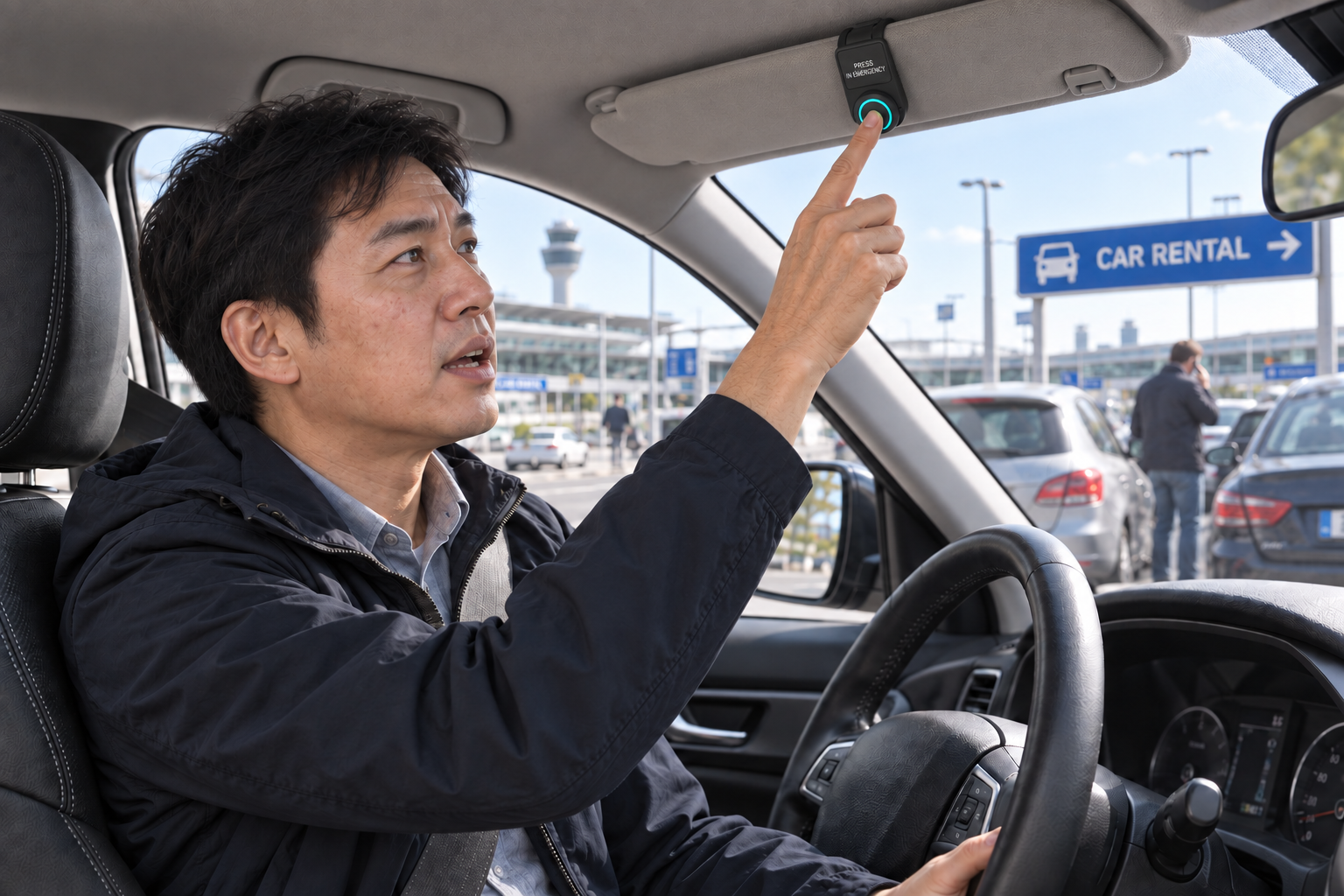
The rental company clips TagBell onto the edge of the driver’s Sunshade while it stays folded up against the ceiling with a PRESS IN EMERGENCY notice. After an accident, the driver presses the button from inside the car and describes the situation and help needed. Explore sharing the accident location and recorded request with the company’s designated response contact. Changing the scenario resets the experience.
REQUESTER VIEW
Overseas road · example accident location
RECIPIENT VIEW
Your choice determines the next step.
Start a request to see the steps you choose.
The demo advances only when you press a button. All locations and messages are examples. A real service needs device and app integration, pre-registered contacts, recording and location permissions, sharing consent and local response arrangements. This page does not request microphone or location access, record, transmit or translate.
PRODUCT OVERVIEW
Signal that you need help without taking out your phone.
In a threatening situation, using a phone may expose it to being taken or damaged. Smart TagBell is designed around a simple idea: press a button to alert people selected in advance, without searching for a contact or navigating a screen.
If the first recipient does not respond, the request can move through backup channels and a registered network. Actual transmission depends on the device’s communication design and connection status.
TAG DESIGNS
Three design concepts: a badge, a phone ring and a pendant.
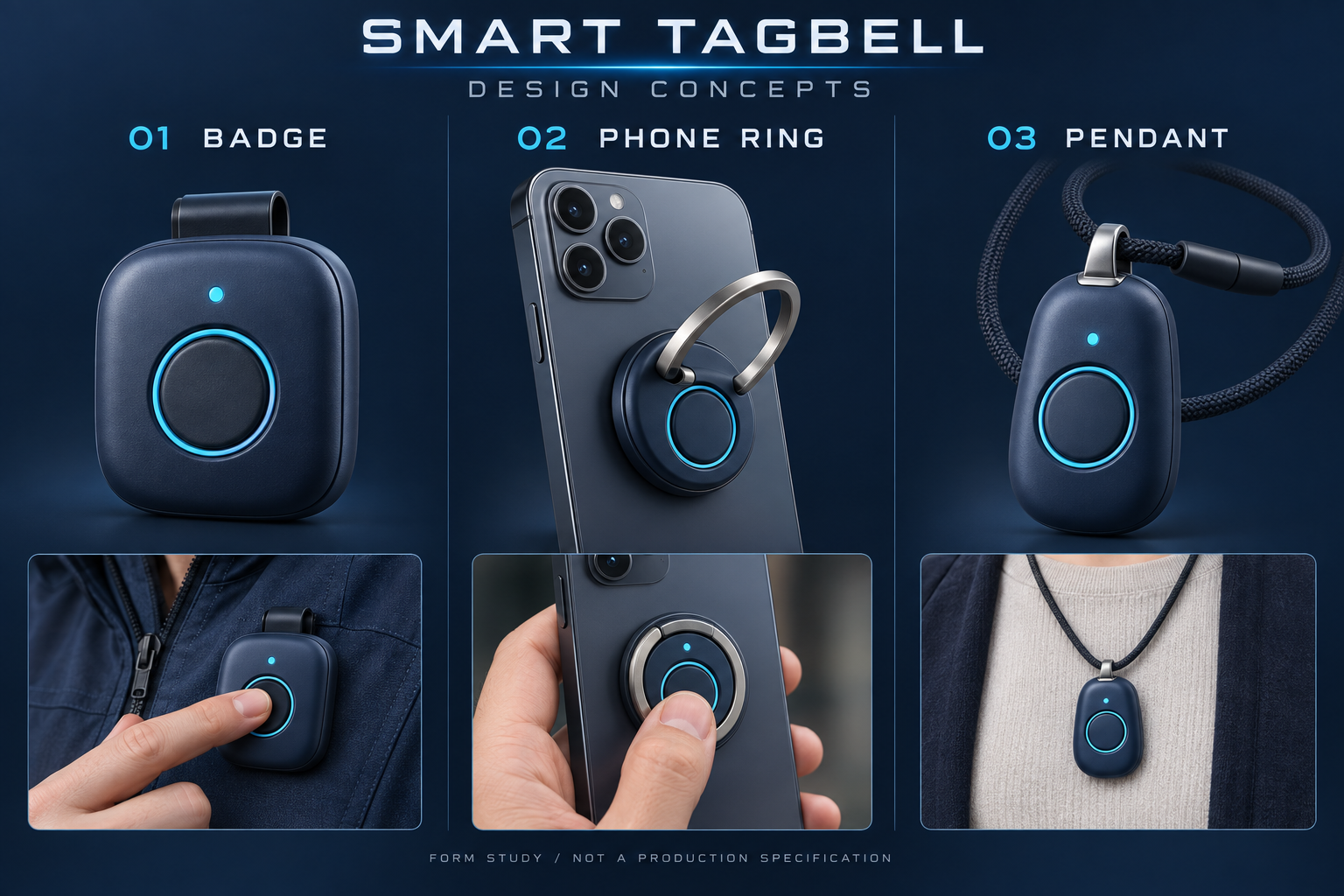
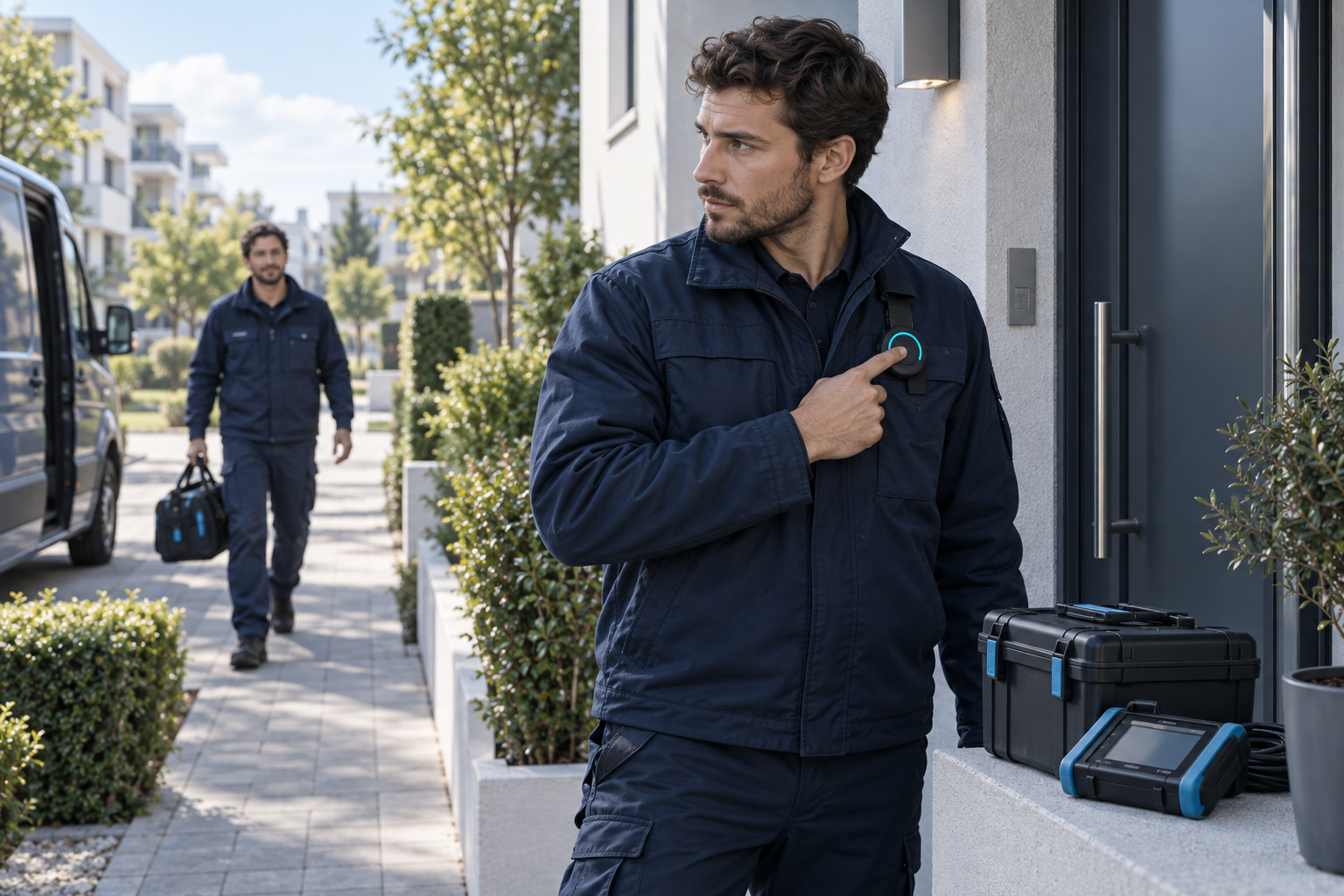
A chest-mounted button designed for easy access on clothing or uniforms, including security and field-service roles.
A folding finger ring combined with an alert button. It can be used while holding a phone, but may become inaccessible if the phone is taken.
A pendant-style button for travel and everyday use. A breakaway strap and wearing safety need validation during product development.
The form factor does not determine independent connectivity. Dimensions, attachment, battery, communications and activation conditions remain subject to product design and validation.
FROM ALERT TO RESPONSE
A service concept connecting a designated recipient with location information and an on-site audio recording.
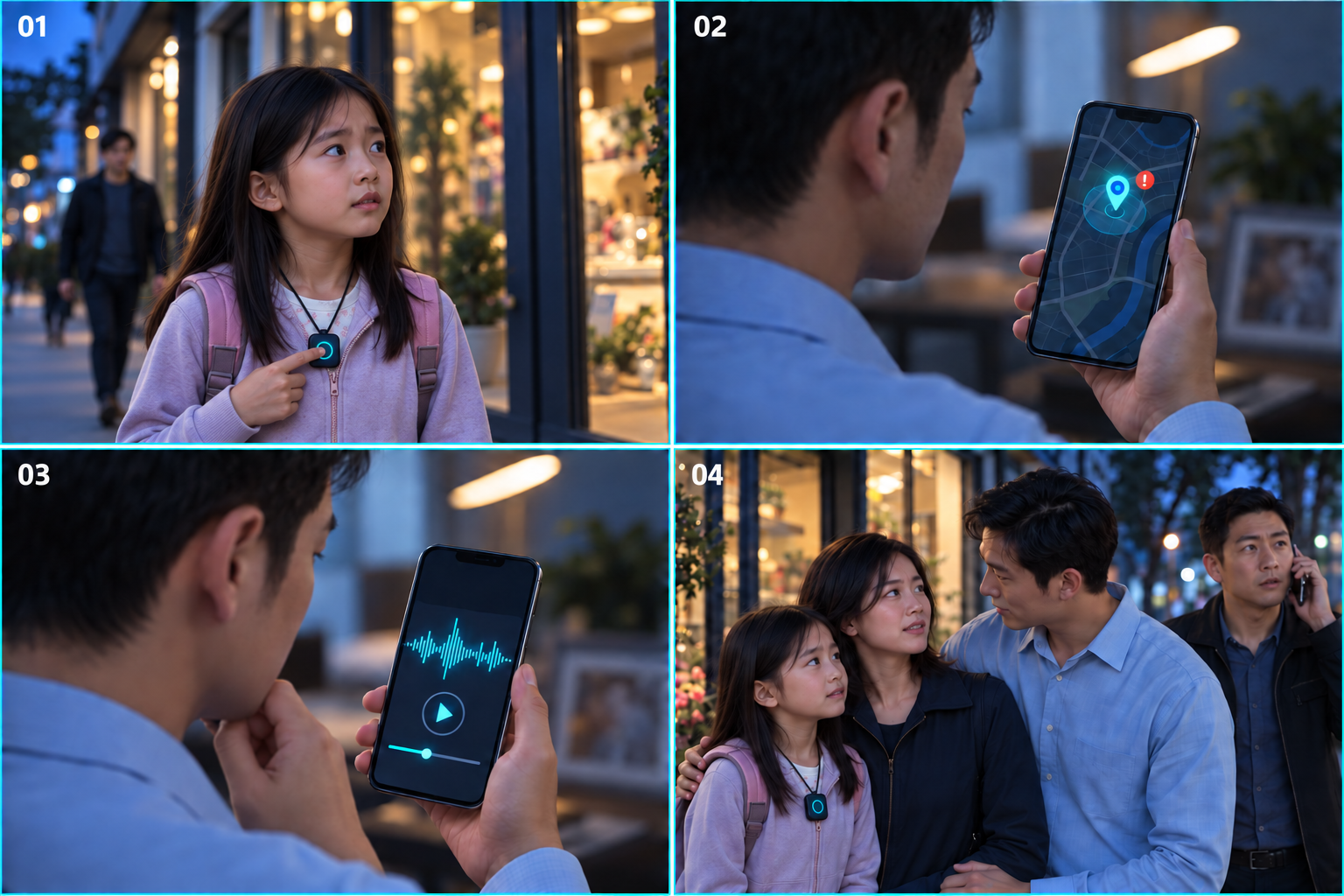
When a suspicious person follows her, the child presses the Smart TagBell pendant around her neck to request help from a designated contact.
The alerted recipient checks where the child is on their smartphone.
The recipient listens to shared on-site audio to understand the situation.
A guardian or designated contact goes to the child or arranges on-site assistance and checks that she is safe.
A real service requires device and app connectivity, registered recipients, location and recording permissions, and sharing consent. This page illustrates the flow and does not record audio or send emergency messages.
CORE TECHNOLOGY
Conditions and coverage can be configured for each operating environment.
Pressing TagBell sends a BLE signal to your connected smartphone. Its app sends a notification to preselected contacts over the network.
If no one responds, a messenger backup channel helps reduce the risk of a missed notification.
If unanswered, the app follows the configured order of preselected contacts.
Recipients review the location and situation, then choose an available response path.
SYSTEM ARCHITECTURE
The concept combines standard mobile push infrastructure with messenger channels and notification delivery to designated contacts. Control centers, caregiver apps and operating policies can be integrated to suit each partner.
PATENT PORTFOLIO
Two Korean patents registered to PASSnet Co., Ltd.
KOREAN PATENT · 10-2491615
Describes a request device linked to a smartphone that shares emergency signals, location and on-site audio with a control center, supporting CCTV coordination and notifications to responders and guardians.
KOREAN PATENT · 10-2959613
Describes trigger-based, time-limited audio collection, inaudible acoustic data transmission as a backup, event-synchronized CCTV clip extraction, and pedestrian–vehicle safety integration.
Summarized from the supplied patent certificates and specifications. The technologies described are distinct from the demonstrations on this site; product implementation and external integrations require separate development and validation.
APPLICATIONS
These are service scenarios. Actual recording, location sharing and local response require integration and field validation.
01The rental company clips TagBell onto the edge of the driver’s Sunshade while it stays folded up against the ceiling. After an accident, the driver presses it and describes what happened. The accident location and recorded request are shared with the company’s designated response contact.
 02
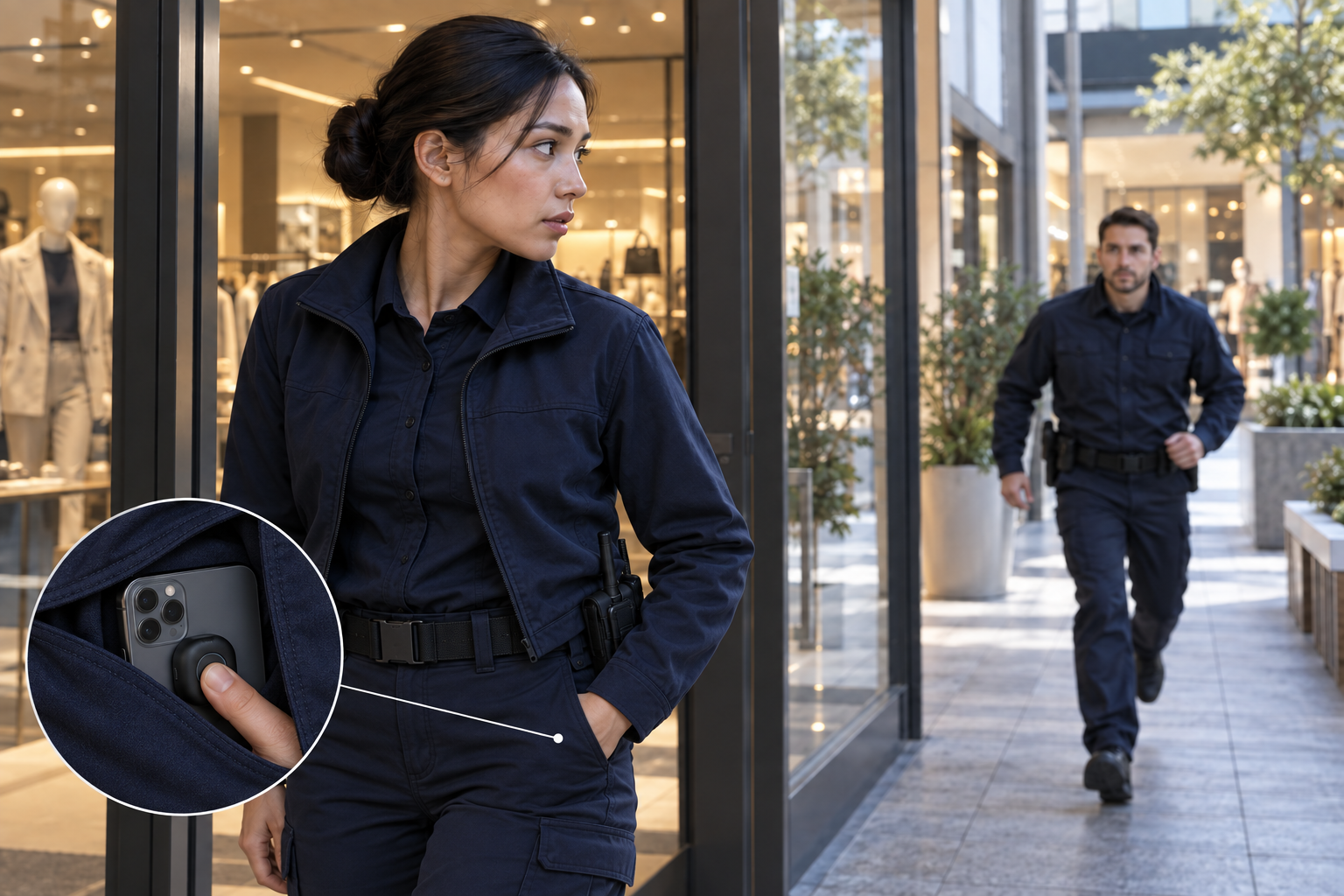
02Connect a store with its control center and nearby registered security personnel for coordinated support.
 03
03Share an emergency at a customer site with a manager and designated colleagues.
 04
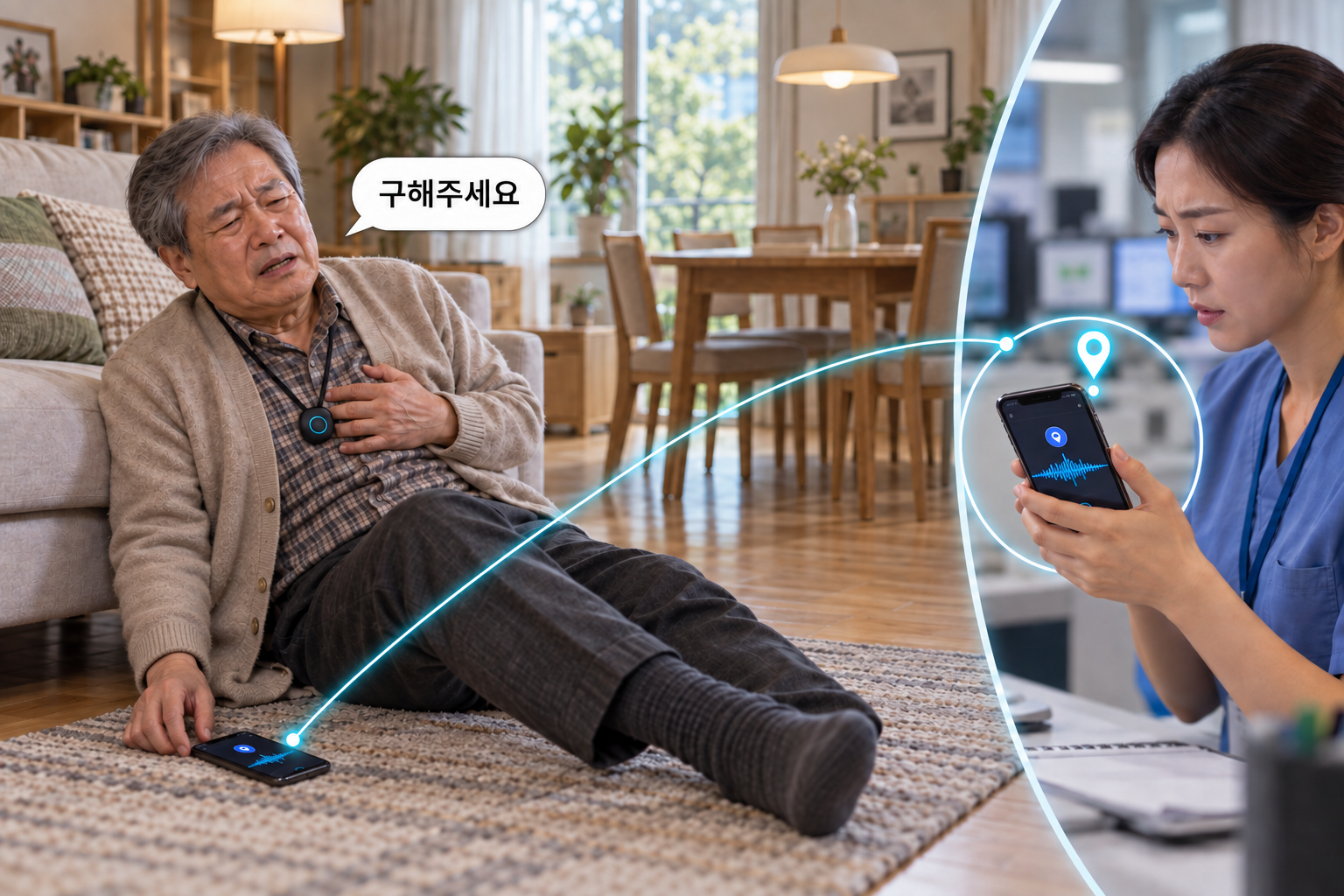
04When sudden chest discomfort makes calling difficult, an older adult presses TagBell. The phone lies right beside their hand, but they lack the strength to operate it. A maintained connection and successful audio capture can relay a spoken request for help and location to a preselected hospital or responder. This service concept requires app connectivity, recording permission and prior recipient integration.
 05
05During an emergency while painting a high-rise exterior, a rope-access worker hangs from secured ropes and a safety harness, gripping a rope to steady themselves. They cannot free their hands to hold and operate a smartphone. They press the TagBell button attached to the side of their helmet to request rescue from the site manager and safety personnel.
 06
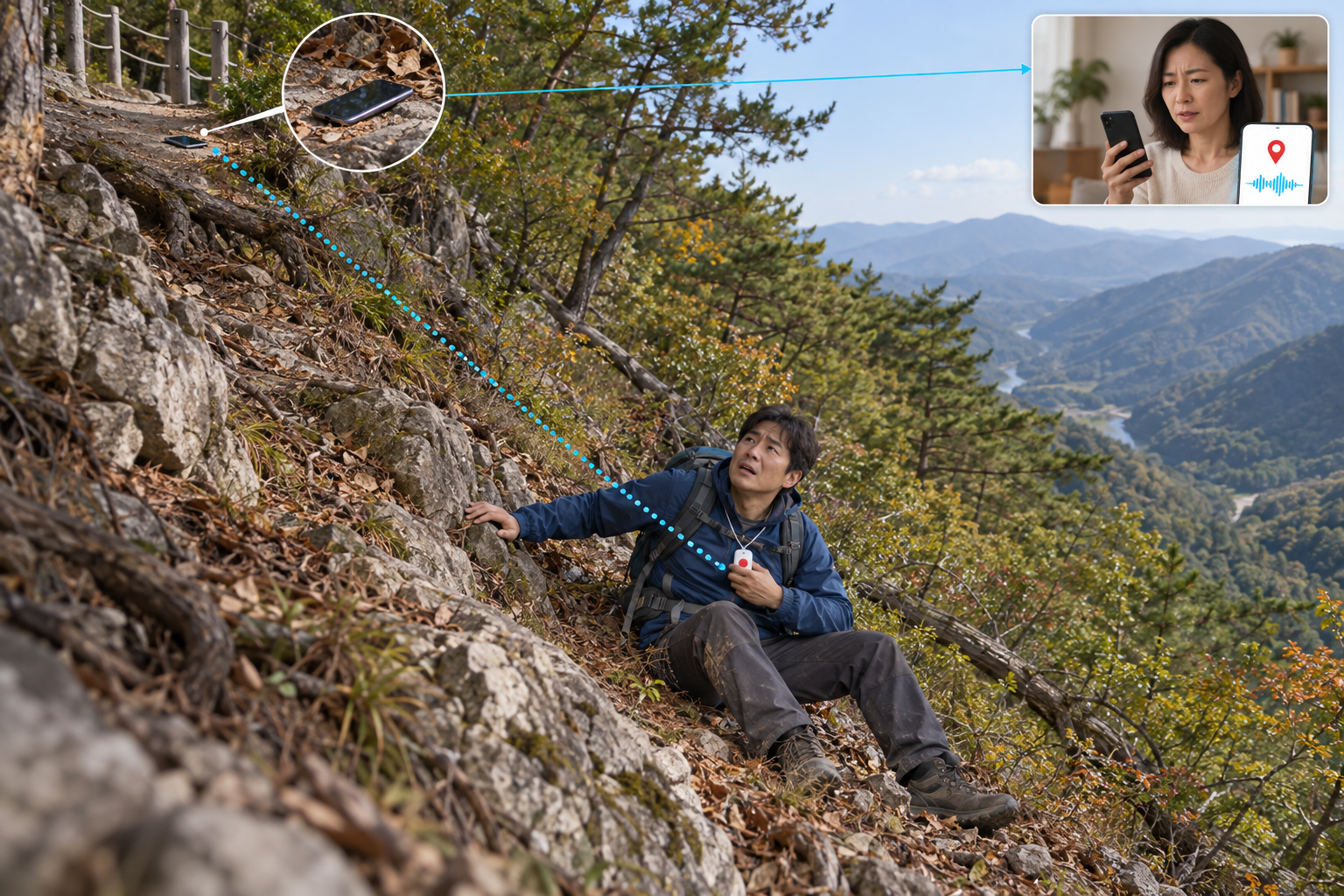
06A hiker slips down a steep slope, drops their phone and falls roughly 10 meters below the trail. They press the TagBell pendant to request rescue. If the BLE connection remains active, the phone left above receives the signal and relays an emergency alert to a designated contact. Terrain, obstacles and device status affect connectivity; any shared position is the phone’s location.
 07
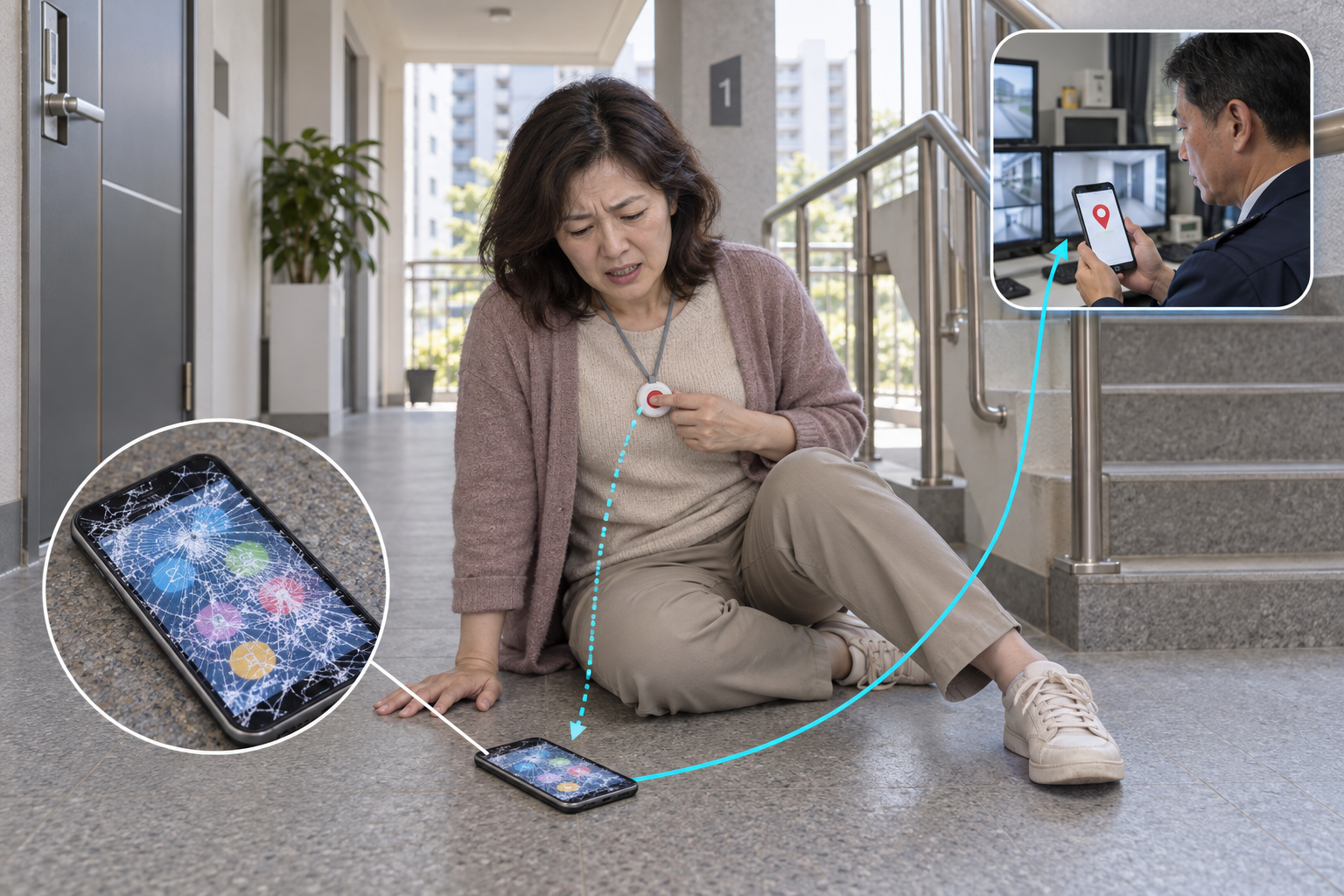
07When a shattered smartphone screen prevents touch operation in an apartment complex or public facility, the user presses TagBell to request help from a preselected building manager or guardian. This scenario assumes only the display or touch input is damaged: phone power, BLE, the app and network connectivity must remain available. A fully failed or disconnected phone cannot relay the alert.
 08
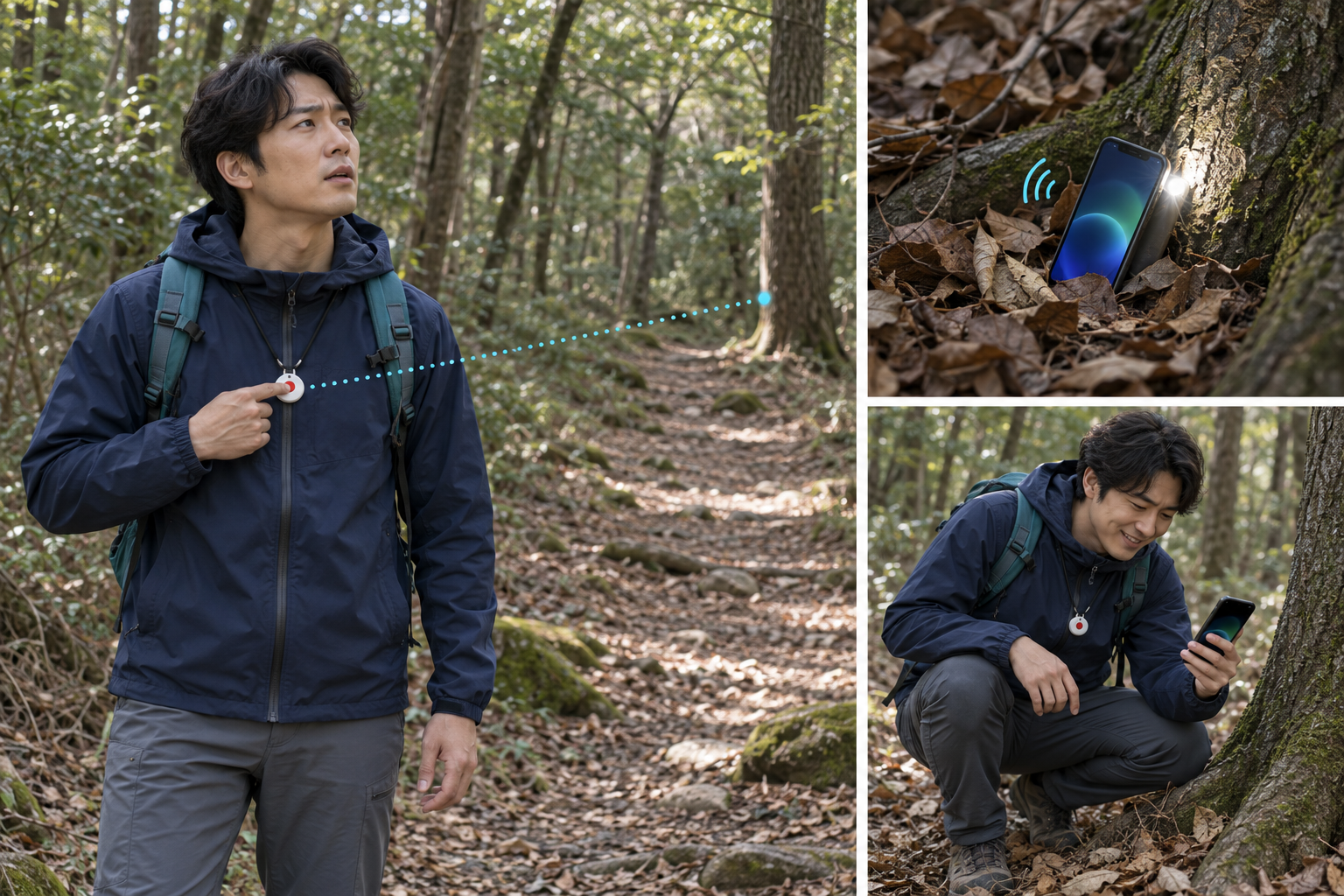
08A phone slips away during a hike and becomes hidden among fallen leaves near a tree roughly 15 meters away. In a preconfigured phone-finding mode, pressing TagBell signals the BLE-connected phone to play a locating chime and emit light through its screen or flash. The hiker follows the sound and light, locates the phone and retrieves it. Fifteen meters is a scenario setting, not a guaranteed connection range. Phone power, a running app, BLE connectivity and supported sound/light controls are required.
BUSINESS VALUE
Adapt response roles and operating rules to homes, care services, industrial sites and facilities.
Explore service models with telecom, security, monitoring, insurance and care platforms.
Use notification, response and escalation history to evaluate and improve the response process.
GETTING STARTED
Try the response flow here. Real device alerts, app notifications and messenger delivery need separate service integration.
Identify user numbers, locations, connectivity and the existing monitoring setup.
Define contacts, waiting times, escalation coverage and the final unanswered-alert procedure.
Verify device connections, delivery, accidental-alert cancellation and safety confirmation. Cost and timing depend on the agreed scope.
The concept is to send an emergency signal to preselected contacts with one button press, reducing the need to find contacts or operate a phone screen during a threatening situation.
TagBell relies on your connected smartphone. The phone must be powered on, within BLE range, and able to run the app and access the network. If these conditions fail, the alert may not be sent.
No. The interactive experience runs only on this page. It does not contact emergency services, send notifications, record audio or transmit your location.
The demo shows backup messaging and escalation, followed by an unanswered state. A real service needs a separate emergency contact and response procedure. A response or rescue is not guaranteed.
The requester can cancel an alert. Recipients can decline to move the demo to the next stage. Accepted requests close only after arrival and a safety confirmation.
Notification delivery and notification delivery to designated contacts may be limited. Deployment planning should include connection indicators, permission guidance, alternative contact methods and unanswered-alert procedures.
The rental company clips TagBell onto the edge of the driver’s Sunshade while it stays folded up against the ceiling beside a PRESS IN EMERGENCY notice. From inside the car, the driver presses the button and describes the accident and assistance needed. The accident location and recorded request are sent to the company’s preselected response contact. Local assistance requires partner arrangements. This site does not automatically call emergency services or provide interpreting.
Yes, in this service concept: press the in-car TagBell and describe the accident. The location and driver’s recorded request are shared together with the rental company’s designated contact. The real service requires in-car hardware, audio capture, location and communication integration, and consent. This demo displays sample text only.
No. Travel and field-service scenarios use preselected contacts. Security collaboration uses a registered response network. Each deployment defines who receives information and how widely it is shared.
REPORT DOWNLOADS
Explore the technology, R&D objectives and commercialization strategy in the 18-page Korean and English reports.
AI·IoT 기반 휴대형 스마트 안전단말 및 통합관제 플랫폼 개발·사업화
Download Korean PDFAI·IoT-Based Portable Smart Safety Device and Integrated Monitoring & Control Platform Development & Commercialization
Download English PDFPARTNERSHIP
Discuss product co-development, field pilots, distribution and service partnerships, or strategic investment.
Location and personal data protection, consent, mobile permissions, messaging costs and fallback response arrangements require planning for the intended country and service environment.